Dashboard & Analytics

Open one screen and know whether today is a problem

Most contractors find out something went wrong when somebody rings them about it. GATSY opens on what needs attention — expenses waiting on an approval, jobs running with no contract price, crews clocked in right now — and keeps the numbers behind the business one click further on.

  • 30-day Free Trial
  • No Credit Card Required
  • Cancel Anytime
The GATSY dashboard showing needs attention, today’s shifts, job status, cash position and revenue trend
What is actually wrong, first
Needs attentionWhat is actually wrong, first
Who is clocked in right now
LiveWho is clocked in right now
Your widgets, your order
CustomisableYour widgets, your order
Customers, contracts, jobs, KPIs, orders
6 viewsCustomers, contracts, jobs, KPIs, orders

What Dashboard & Analytics does

It opens on the problems, not the pretty numbers

The first card is what needs a decision today — not a chart you have to interpret.

Needs attention, counted

Expenses waiting for approval, open jobs with no contract price, task sheets still waiting on a customer, jobs past their target date. Each with a number, each a link straight to the thing.

Today’s work, with the crews on it

Every shift today with its times, its job, its address and the crew assigned — so a morning call takes a glance rather than three screens.

Who is clocked in, right now

Live, with how long they have been on and which job. The overtime watch sits next to it and stays quiet when there is nothing to say.

Make it yours

Widgets can be reordered, hidden or added, so the dashboard shows what you look at rather than what a product manager assumed you look at.
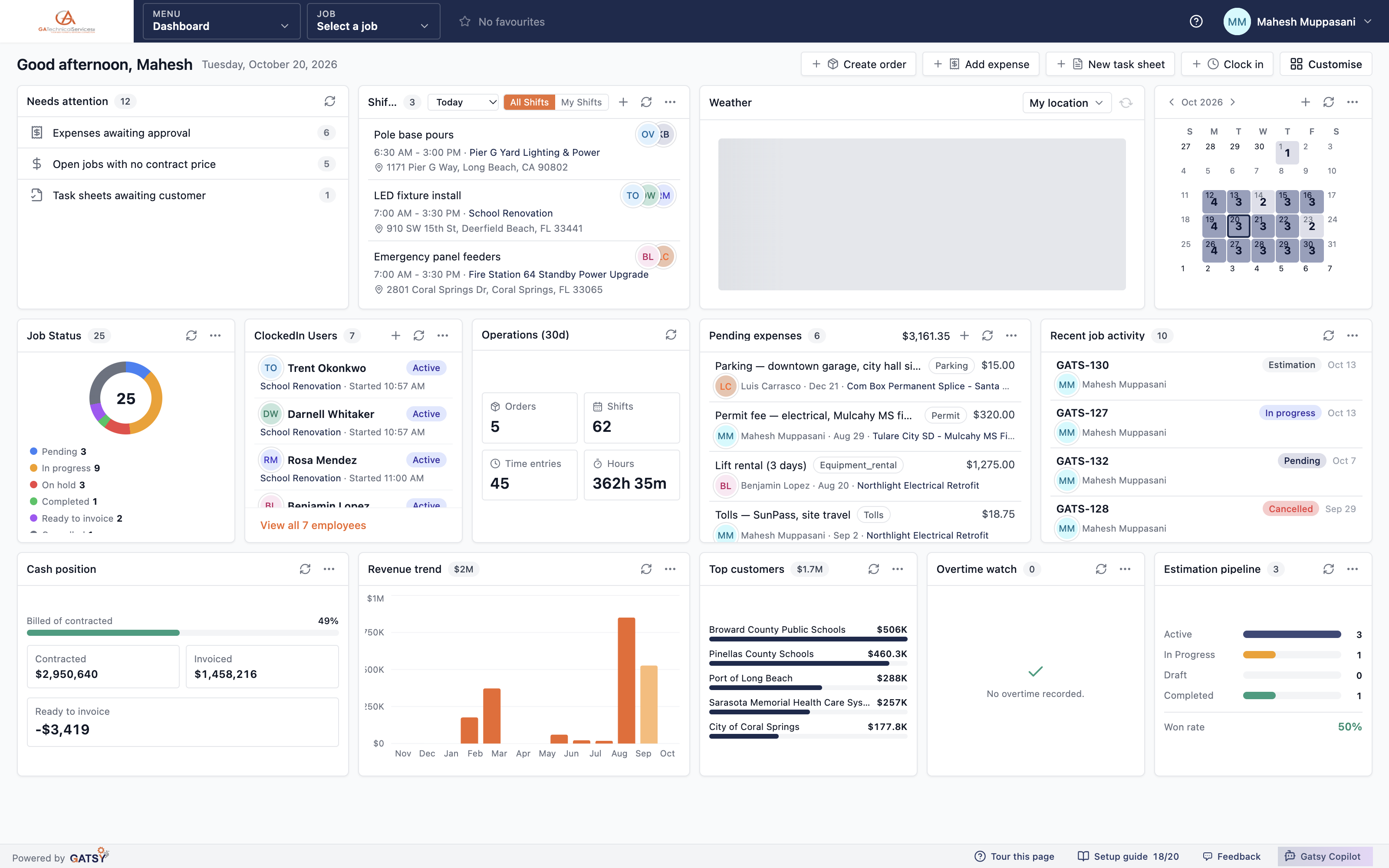
The dashboard with needs attention, shifts, clocked-in users and job status

The money, without opening the books

Contracted, invoiced, ready to invoice and the trend behind them — on the same screen as the work.

Cash position at a glance

What you have contracted, what you have invoiced, what percent of the book is billed, and what is sitting ready to invoice but hasn’t been. That last one is usually money you already earned.

Revenue trend by month

Where revenue actually landed across the year, so a quiet quarter is something you saw coming.

Top customers by value

Who your book actually depends on. Useful the day you are deciding which bid to chase.

Estimation pipeline and win rate

How many estimates are active, in progress, draft and completed — with the won rate across them, because bid outcomes are recorded rather than guessed.

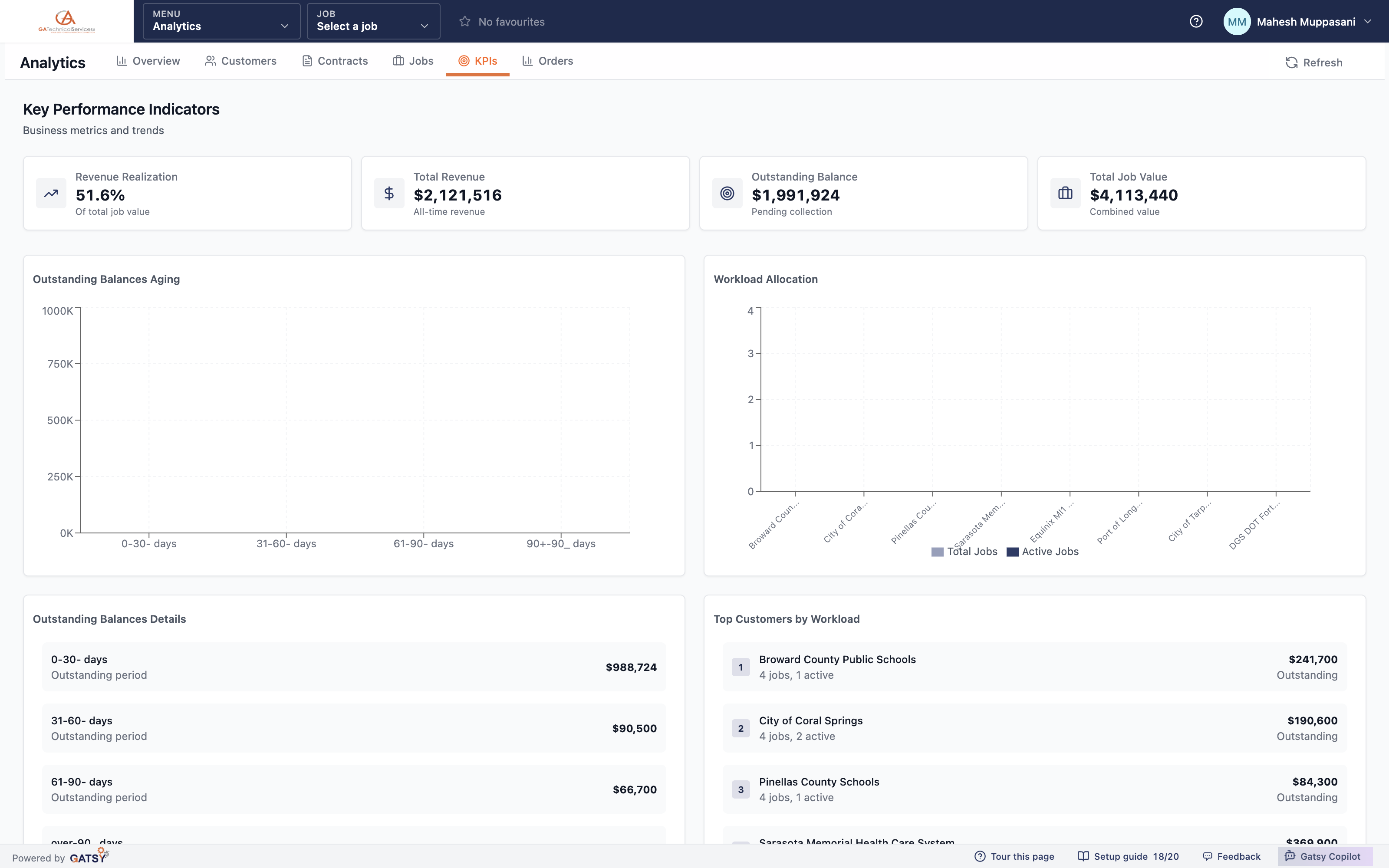
Key performance indicators with revenue realization, total revenue, outstanding balance and job value

Six views for when a glance is not enough

Overview, customers, contracts, jobs, KPIs and orders — each one a different question about the same business.

Customers and contracts

Which customers carry the most work and the most outstanding balance, and how contracts are performing against what was signed.

Jobs and KPIs

Job status across the book, revenue realization against total job value, and outstanding balances aged 0–30, 31–60, 61–90 and over 90 days — the ageing that tells you who to ring.

Orders

Procurement analytics in the same place as everything else, so buying patterns sit next to the jobs they belong to.

Answers are bounded by permission

Analytics respects what the person asking is allowed to see. A foreman does not get the company’s margin because they opened a different tab.

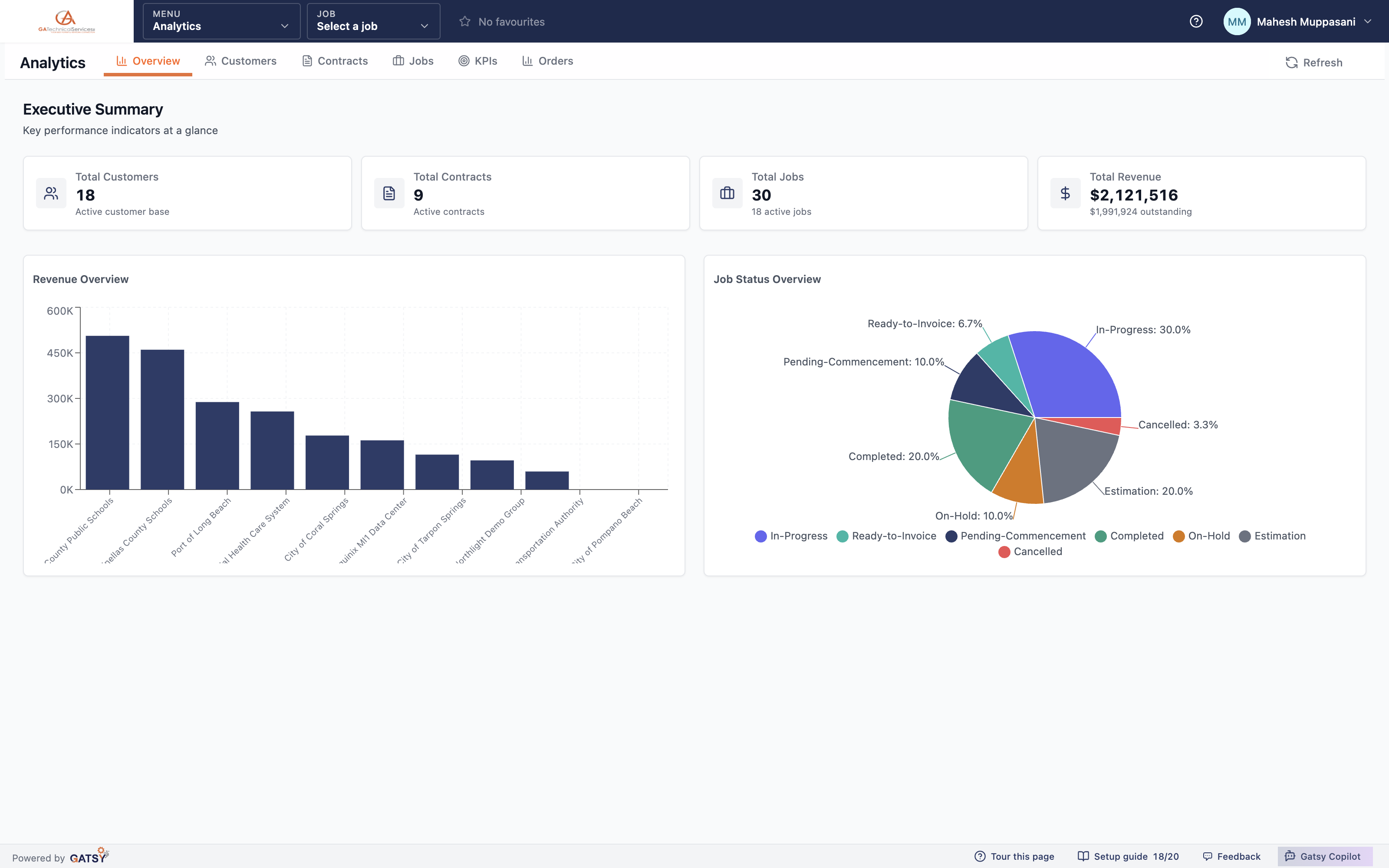
The analytics executive summary with customers, contracts, jobs and total revenue

Where the numbers come from

  1. 1

    The work records itself

    Shifts, clocked hours, expenses, orders and invoices are captured as they happen, against the job they belong to.

  2. 2

    Jobs roll up

    Each job knows its contract value, what it has cost and what has been billed, without anybody compiling it.

  3. 3

    The dashboard surfaces the exceptions

    Anything waiting on a decision or missing a number is pushed to the top rather than buried in a report.

  4. 4

    Analytics answers the bigger question

    Six views across customers, contracts, jobs, KPIs and orders, each bounded by what the viewer may see.

Questions contractors ask

Do I have to build reports?

No. The dashboard and the six analytics views are there from the first job you enter. You can reorder and hide dashboard widgets, but nothing needs configuring before it tells you something.

Can my foremen see company financials?

Only if you grant it. Seeing job cost is a separate permission, and analytics answers inside whatever the person asking is allowed to open.

How current are the numbers?

They follow the work. A timesheet filed this morning, an expense approved at lunch and an order placed this afternoon are all in the picture the same day — not after a month-end reconciliation.

Does it connect to QuickBooks?

Yes. QuickBooks project insights bring income and cost back in, including a per-employee time summary, so the operational view and the accounting view agree.

Ready to run every job in one place?

Start your 30-day free trial today. No credit card, no setup fee, and we’ll get GATSY configured around how your business already works.

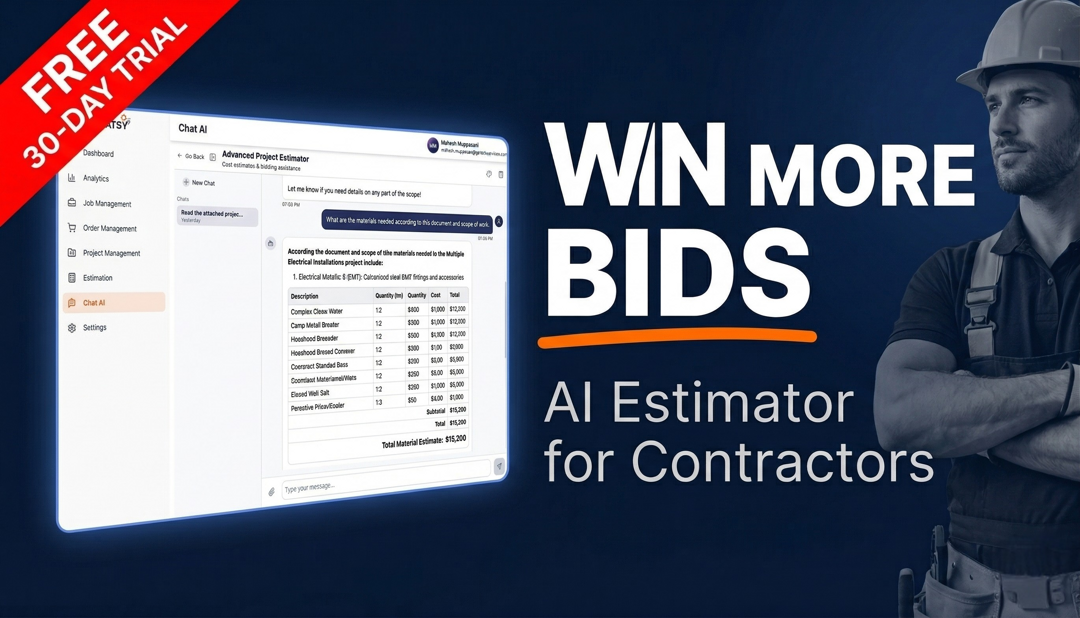
GATSY AI estimating workspace showing a priced project takeoff
30-day Free TrialNo Credit Card RequiredCancel Anytime
View Manual