Jobs & Projects

Every job on one page — the money, the crew, the paperwork

Most contractors run a job across a folder, a spreadsheet and three inboxes. GATSY gives each job a single page that knows its contract value, what it has cost so far, who is on it this week and what still has to be billed — and keeps that page current without anybody updating it.

  • 30-day Free Trial
  • No Credit Card Required
  • Cancel Anytime
The GATSY Job Hub showing contract value, invoiced to date, cost to date, labor hours and progress for one job
Per job, not per tool
One pagePer job, not per tool
Cost and margin as work happens
LiveCost and margin as work happens
Jobs, users and storage
UnlimitedJobs, users and storage
Free trial, no credit card
30 DaysFree trial, no credit card

What Jobs & Projects does

One page per job, and it stays current

Open a job and the answer is already there — no report to run, no spreadsheet to reconcile.

The money, across the top

Contract value, invoiced to date, balance still to invoice, cost to date, labor hours and percent complete sit in one strip at the top of the job. Change an order or file a timesheet and the strip moves.

Customer and contract in context

Original price, change orders, current contract value, invoiced to date and the last invoice date, all against the customer and contract the job belongs to — so a change order never quietly stops matching the contract.

Crew, key dates and job details

Who is on the job and how many hours each has booked, with foremen marked. Start, target end, actual end and days active, with the target date turning red once it has passed.

Everything else, one tab away

Schedule, time, expenses, procurement, submittals and the team each get a tab on the same page. The job is the unit of work, so the job is the unit of navigation.
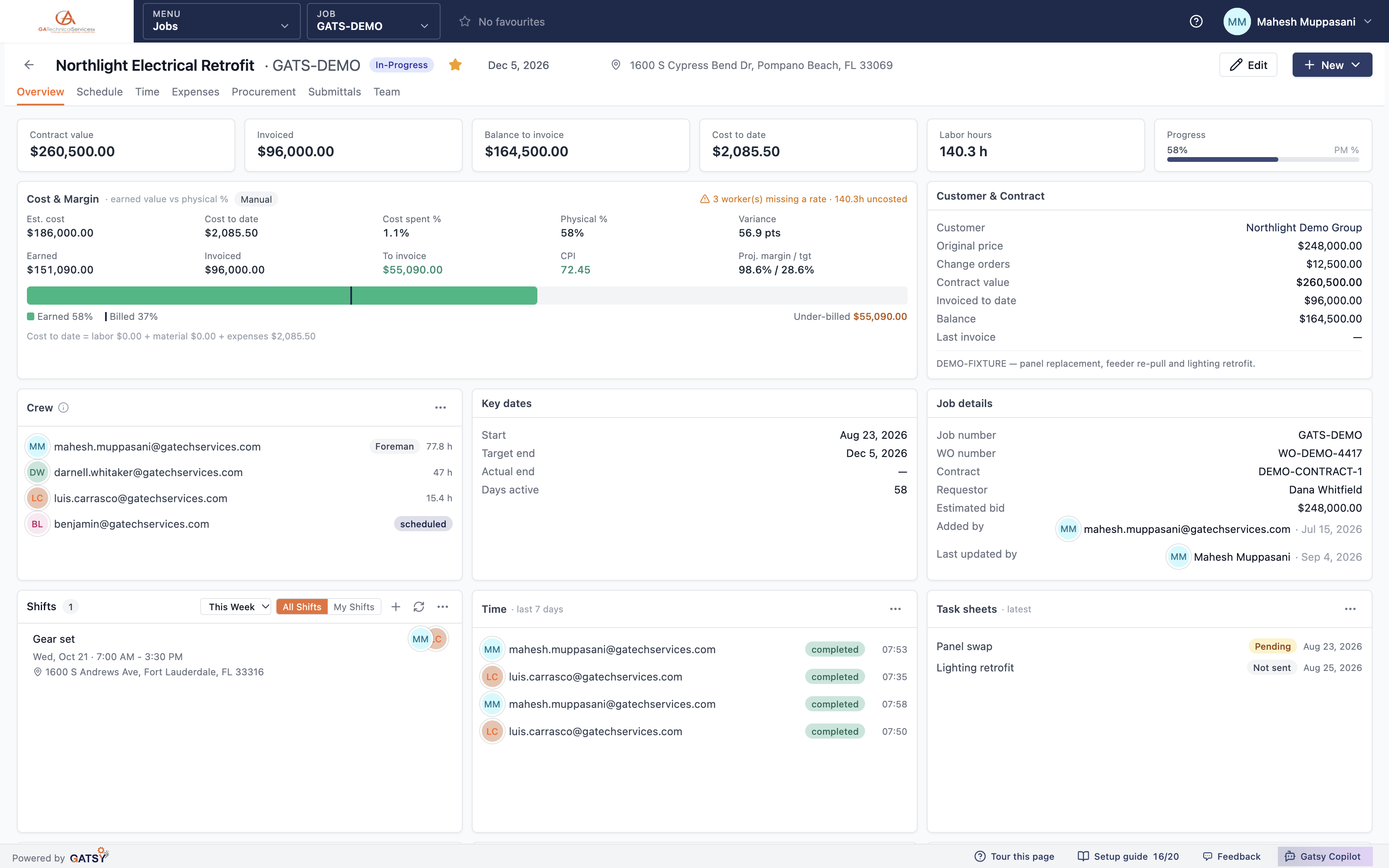
Job Hub overview with cost and margin, customer and contract, crew and key dates

Job costing that admits what it does not know

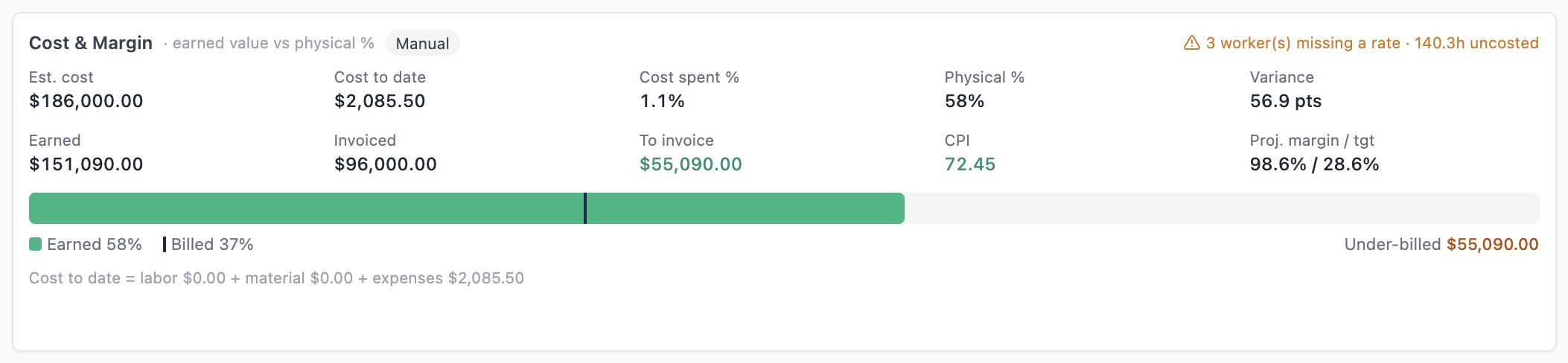
Earned value, CPI and projected margin against target — and a plain warning when the inputs are not there yet.

Earned value, not just spend

Estimated cost, cost to date, cost spent percent, physical percent complete, earned value, invoiced and still to invoice — with CPI and projected margin against the target you set.

It tells you when a number is not trustworthy

Two workers missing a rate and twenty hours uncosted? It says so, on the card, instead of quietly reporting a margin built on a gap. A number you cannot trust is worse than no number.

Billing pace at a glance

One bar shows earned against billed, so you can see whether billing is keeping up with the work before the month closes rather than after.

The Cost and Margin card showing earned value, CPI, projected margin and a warning about uncosted hours

See the whole book, not one job at a time

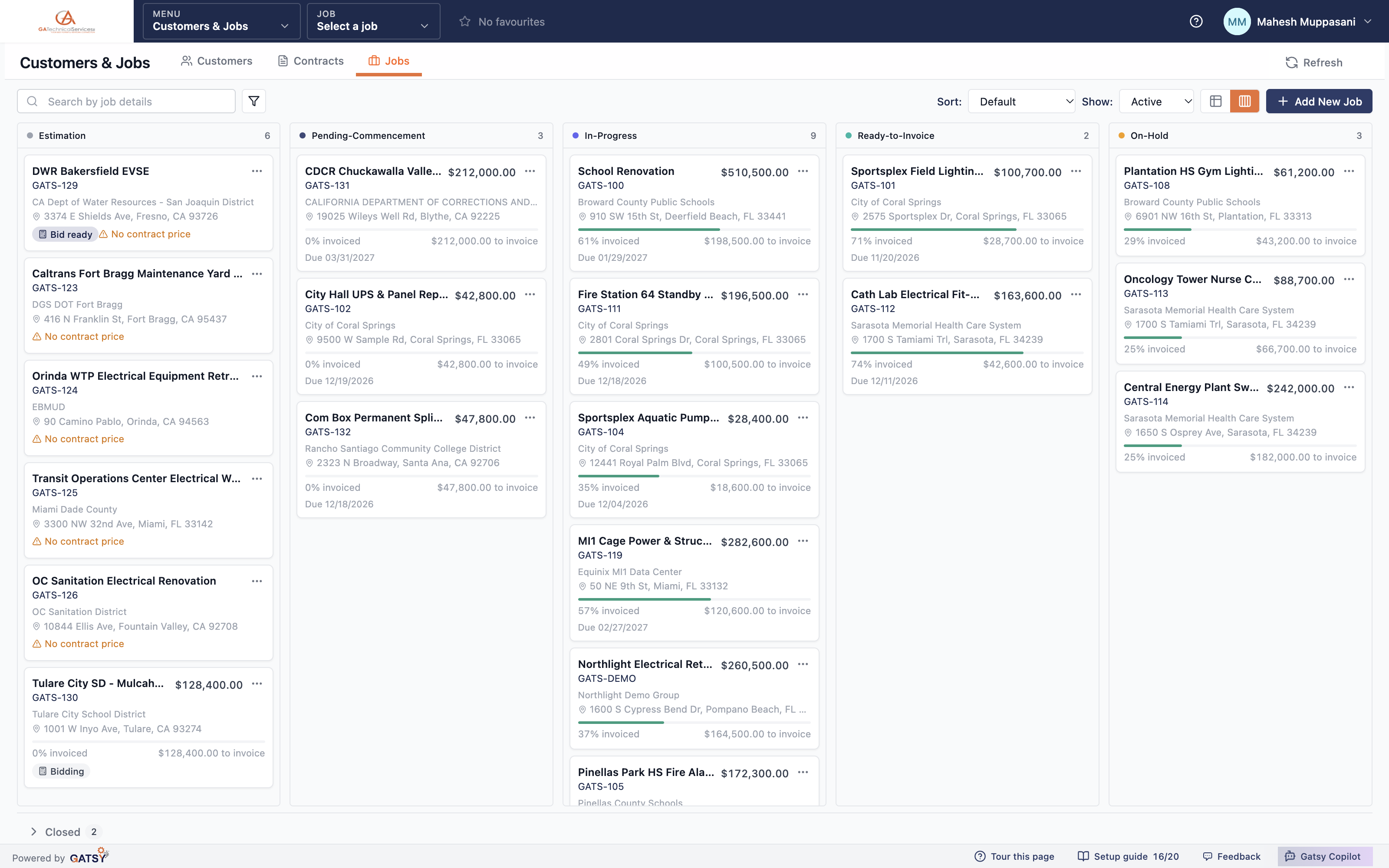
Every job on a board by status, with the money on every card.

A board that opens on live work

Estimation, pending commencement, in progress, ready to invoice and on hold each get a lane. Closed jobs collapse into a strip at the bottom so the board opens on what is actually moving.

Contract value and billing on every card

Each card carries its job number, customer, address, contract value, percent invoiced and what is left to invoice — so "which jobs are ready to bill" is a glance, not a query.

The gaps are flagged, not hidden

An open job with no contract price says so on its card. So does one past its target date. These are the jobs that cost money quietly.

Table when you want a table

The same jobs in a sortable, filterable table with the columns you choose. Board for triage, table for work.

The jobs pipeline board with lanes for estimation, pending, in progress, ready to invoice and on hold

The same job, in the truck

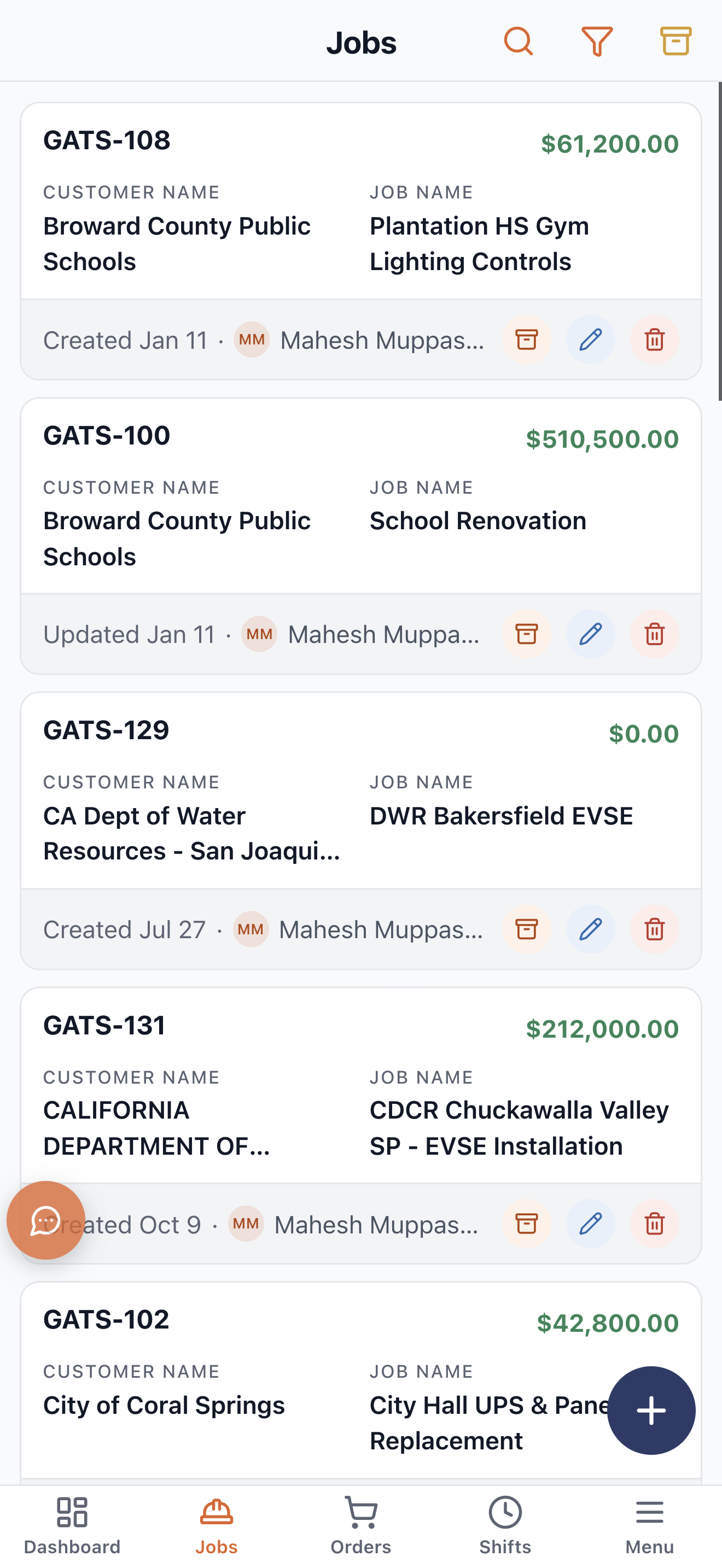
The phone app is the same data, shaped for one hand and a work glove.

Built for the field, not shrunk for it

Jobs, schedule, time and expenses on iOS and Android, laid out for a phone rather than squeezed from a desktop grid.

Clock in against the job

Crews clock in and out from the phone against the shift they are on, so the hours land on the right job and the cost on the Job Hub moves the same day.

The GATSY phone app showing the jobs list with contract values

How a job runs in GATSY

  1. 1

    Create the job

    Against a customer, and a contract if there is one. Job number, scope, target dates and contract price.

  2. 2

    Schedule the crew

    Shifts against the job, crews assigned, conflicts checked before anything is published.

  3. 3

    Work lands on it

    Clocked hours, expenses, purchase orders and task sheets all post to the job as they happen.

  4. 4

    Bill and close

    Progress billing through the schedule of values, then the job closes with its real cost and margin recorded.

Questions contractors ask

Can a job exist without a contract?

Yes. Jobs can hang off a contract or stand alone — plenty of work arrives as a PO or a handshake. When there is no contract price, the job says so on its card rather than reporting a margin against nothing.

How does cost get onto a job without anyone entering it?

Hours come from the clock, materials from purchase orders and expenses from receipts filed in the field. Each posts to the job it belongs to, so cost to date moves as work happens rather than when somebody reconciles a spreadsheet.

What happens if a worker has no labor rate?

The job says so. The Cost and Margin card names how many workers are missing a rate and how many hours are uncosted, and holds back CPI and projected margin until it can compute them honestly.

Can I give a general contractor or a sub access to just their job?

Yes. Outside users get a login scoped to only the jobs they are on, with no access to your customer list, vendors, settings or job cost — they can never see your margin.

Is there a limit on jobs or users?

No. Every plan carries unlimited jobs, unlimited users and unlimited storage. You are not charged per seat for putting your whole crew on it.

Ready to run every job in one place?

Start your 30-day free trial today. No credit card, no setup fee, and we’ll get GATSY configured around how your business already works.

GATSY AI estimating workspace showing a priced project takeoff
30-day Free TrialNo Credit Card RequiredCancel Anytime
View Manual