Task Sheets

The daily report your customer actually signs off

On T&M work and on anything with a dispute in its future, the daily report is the record that settles it. GATSY builds the task sheet from the shift that was actually worked — the crew, their hours, what got done — turns it into a PDF, sends it to the customer, and records whether they approved it.

  • 30-day Free Trial
  • No Credit Card Required
  • Cancel Anytime
The task sheets list showing job, shift, foreman, date reported and the customer approval status
Crew and hours prefilled
From the shiftCrew and hours prefilled
Sent to the customer
PDFSent to the customer
Their answer, recorded
ApprovedTheir answer, recorded
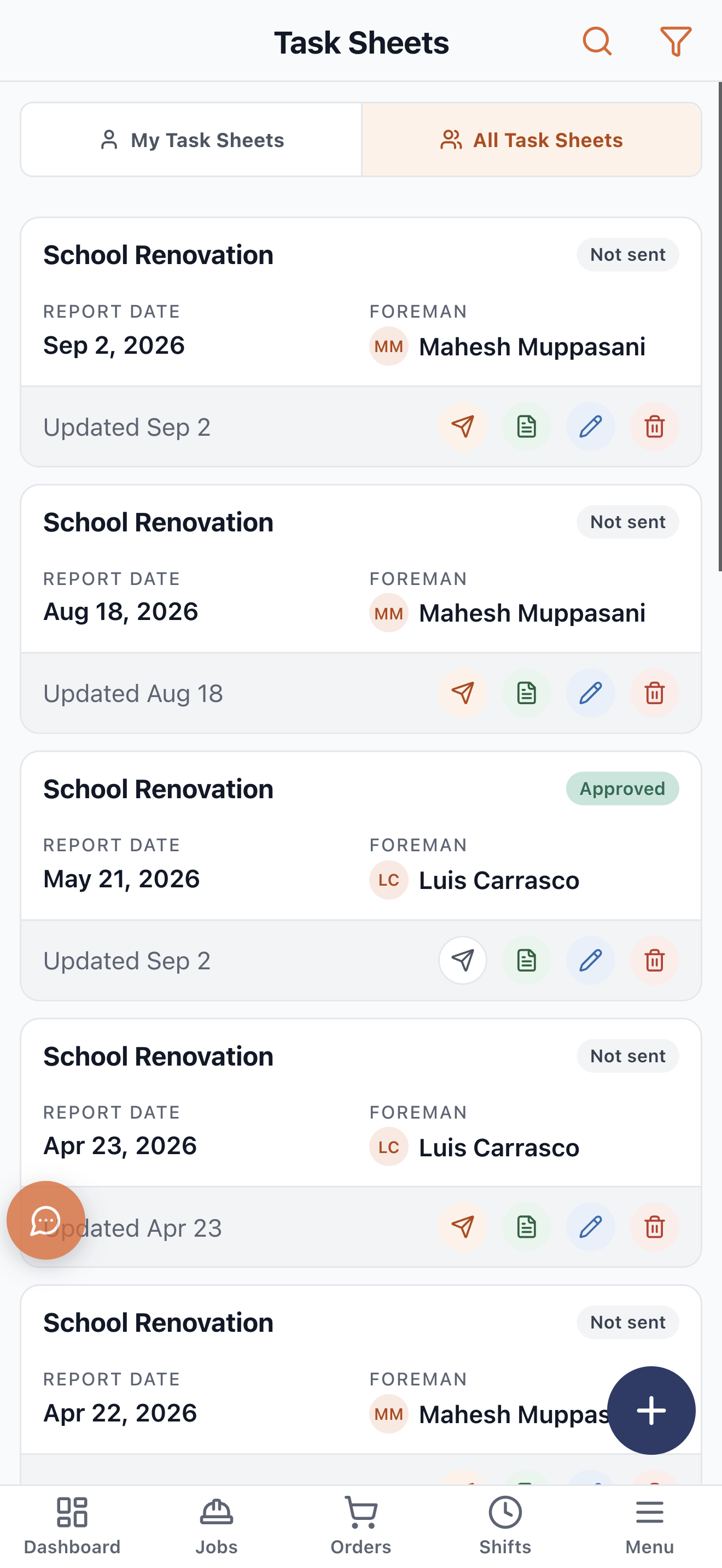
Filed on the phone
From the fieldFiled on the phone

What Task Sheets does

Built from the day that was actually worked

The crew and the hours come from the shift, so the foreman is writing up the work, not re-entering the roster.

The crew is already on it

Whoever was assigned to the shift, with their work classifications, is the crew on the sheet. The foreman confirms rather than types.

Work classifications carry through

The task-sheet work types are company policy, set once in Tenant Policies, so every sheet across every crew describes work the same way.

Filed from the field

The foreman writes it up on the phone at the end of the day, while they still remember what happened, rather than from memory on Friday.

Tied to the job and the shift

Every sheet knows its job and the shift it reports on, so the record is complete without anyone filing it anywhere.
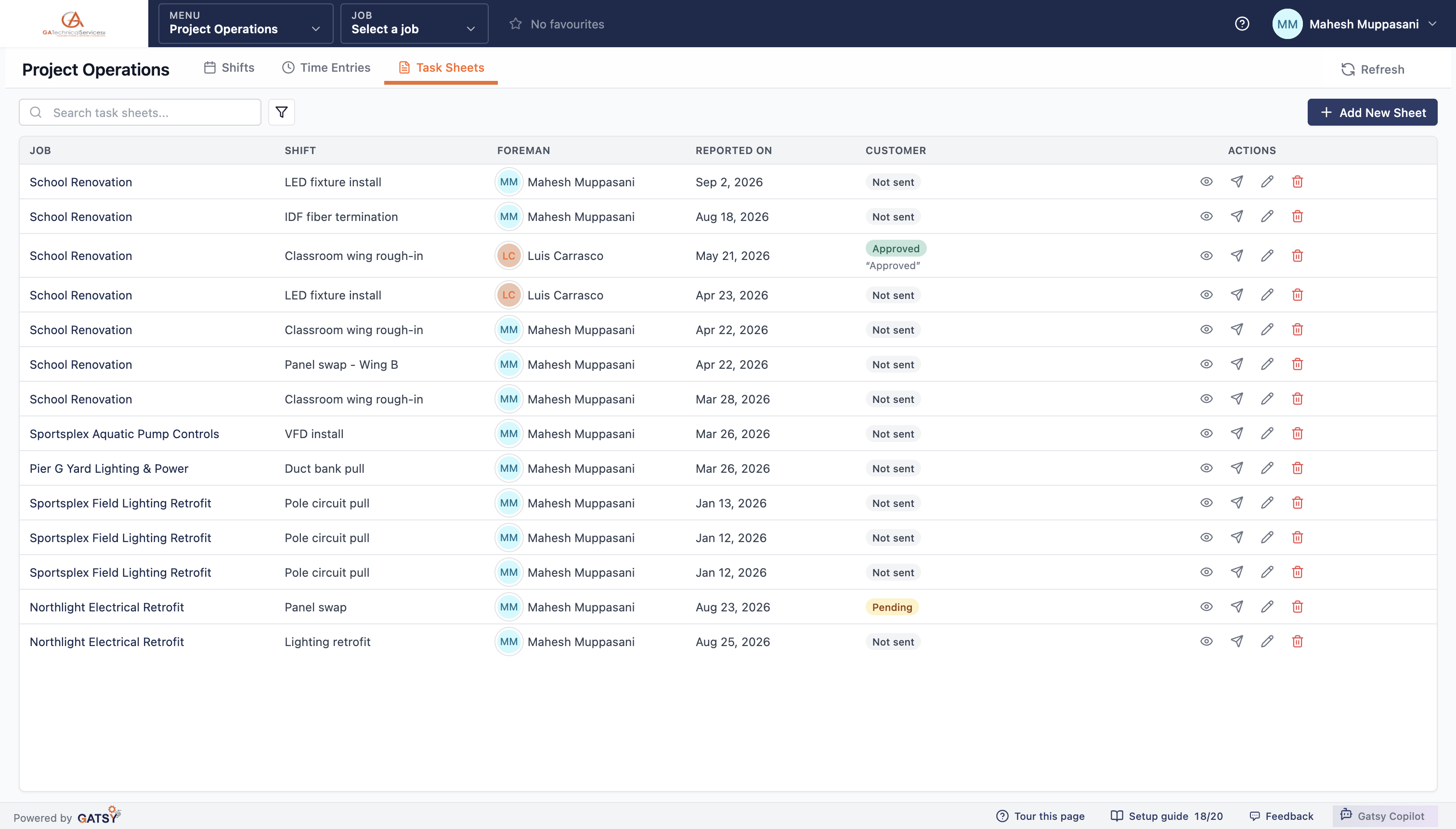

Task sheets listed by job and shift with the foreman, the date reported and the customer status

Send it, and record what they said

The sheet becomes a PDF, goes to the customer, and the answer is kept against the job.

A PDF they can file

Generated from the sheet, carrying the job, the date, the crew and the work — in a form a general contractor or an owner can put straight into their own records.

Sent to the customer from inside the job

No separate email thread, no attachment someone has to find later. The send is part of the record.

Approved, pending, or not sent

Each sheet shows where it stands, and an approval keeps the customer’s own words with it. On a disputed day, that is the difference between an argument and a document.

The dashboard chases the ones waiting

"Task sheets awaiting customer" sits in Needs Attention, so the ones nobody has answered do not quietly age.

The phone app showing task sheets filed from the field

How a day gets written up

  1. 1

    The shift is worked

    Crew assigned, hours clocked, the job already known.

  2. 2

    The foreman writes it up

    On the phone at the end of the day — the crew and hours are already filled in.

  3. 3

    It goes to the customer

    As a PDF, sent from inside the job rather than a separate email thread.

  4. 4

    Their answer is recorded

    Approved, pending or not yet sent, kept against the job with their own words.

Questions contractors ask

Does the foreman have to re-enter the crew and hours?

No. Both come from the shift that was worked. The foreman is describing the work, not rebuilding the roster.

Can the customer approve without a login?

The sheet is sent as a PDF and their response is recorded against the job. Where you want a customer or GC inside the system, outside-user access gives them their jobs and nothing else.

What if a customer never responds?

It stays visible. "Task sheets awaiting customer" is one of the counted items on the dashboard’s Needs Attention card, so it surfaces rather than ages quietly.

Can we standardise what goes on a sheet?

Yes. Task-sheet work classifications are company policy, set once, so every crew reports the same kinds of work the same way.

Ready to run every job in one place?

Start your 30-day free trial today. No credit card, no setup fee, and we’ll get GATSY configured around how your business already works.

GATSY AI estimating workspace showing a priced project takeoff
30-day Free TrialNo Credit Card RequiredCancel Anytime
View Manual