Client & Subcontractor Access

Give the GC and your subs a login — without giving them your margin

The reason most contractors never hand out a login is the obvious one: the person asking for visibility on their job should not end up looking at what the job is making you. GATSY treats people from another company as a different kind of user entirely — capped at the jobs they are on, limited to the areas that are about a job, and structurally unable to reach cost.

  • 30-day Free Trial
  • No Credit Card Required
  • Cancel Anytime
The roles screen with company roles separated from roles built for outside users
Everything else reads as not found
Their jobs onlyEverything else reads as not found
Margin is structurally out of reach
Never costMargin is structurally out of reach
Not a hidden menu item
Server-enforcedNot a hidden menu item
Client and Subcontractor, ready
Built-in rolesClient and Subcontractor, ready

What Client & Subcontractor Access does

A different kind of user, not a trimmed-down one

A role can be marked as being for outside users, and from then on the system treats whoever holds it as someone from another company.

The product says it plainly

The role editor spells out the rule: "People from another company, like a subcontractor or a client. They only get areas about a job — at most Standard, and View on Jobs — and only the jobs they’re on."

Only the jobs they are on

Job access narrows to the jobs where they are on the team. A job outside that set does not come back as forbidden — it comes back as not found, which tells them nothing about what else exists.

Only job-shaped areas

Jobs, submittals, shifts, time entries, task sheets, expenses, project tracker and the pay applications you have sent. Never the customer list, never vendors, never settings, never billing, never audit logs.

Capped, and capped lower where it matters

The ceiling is Standard, and lower where it should be: View only on Jobs, because a job is your company’s record, and View only on pay applications, because they read what you sent, never a draft.
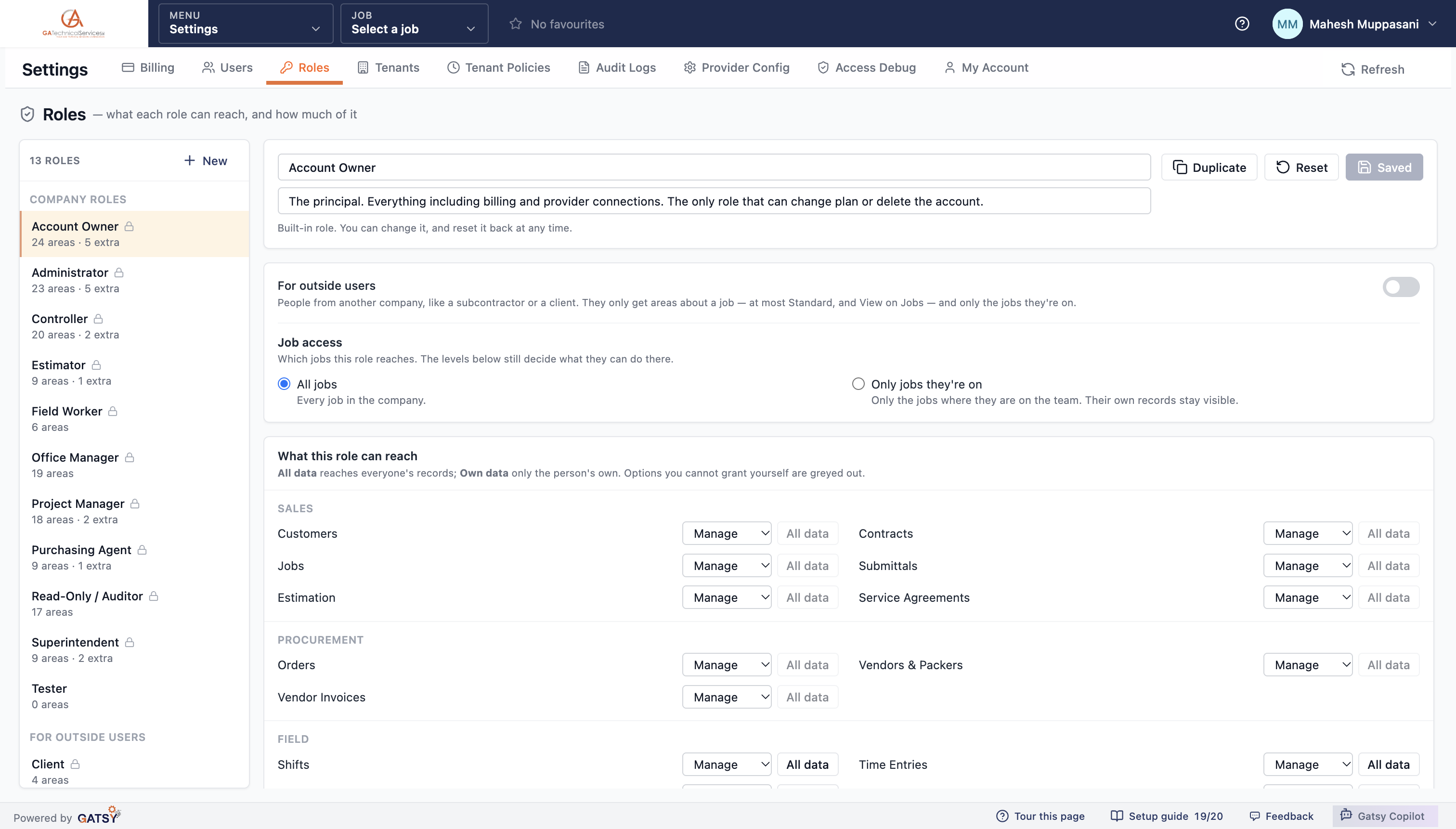
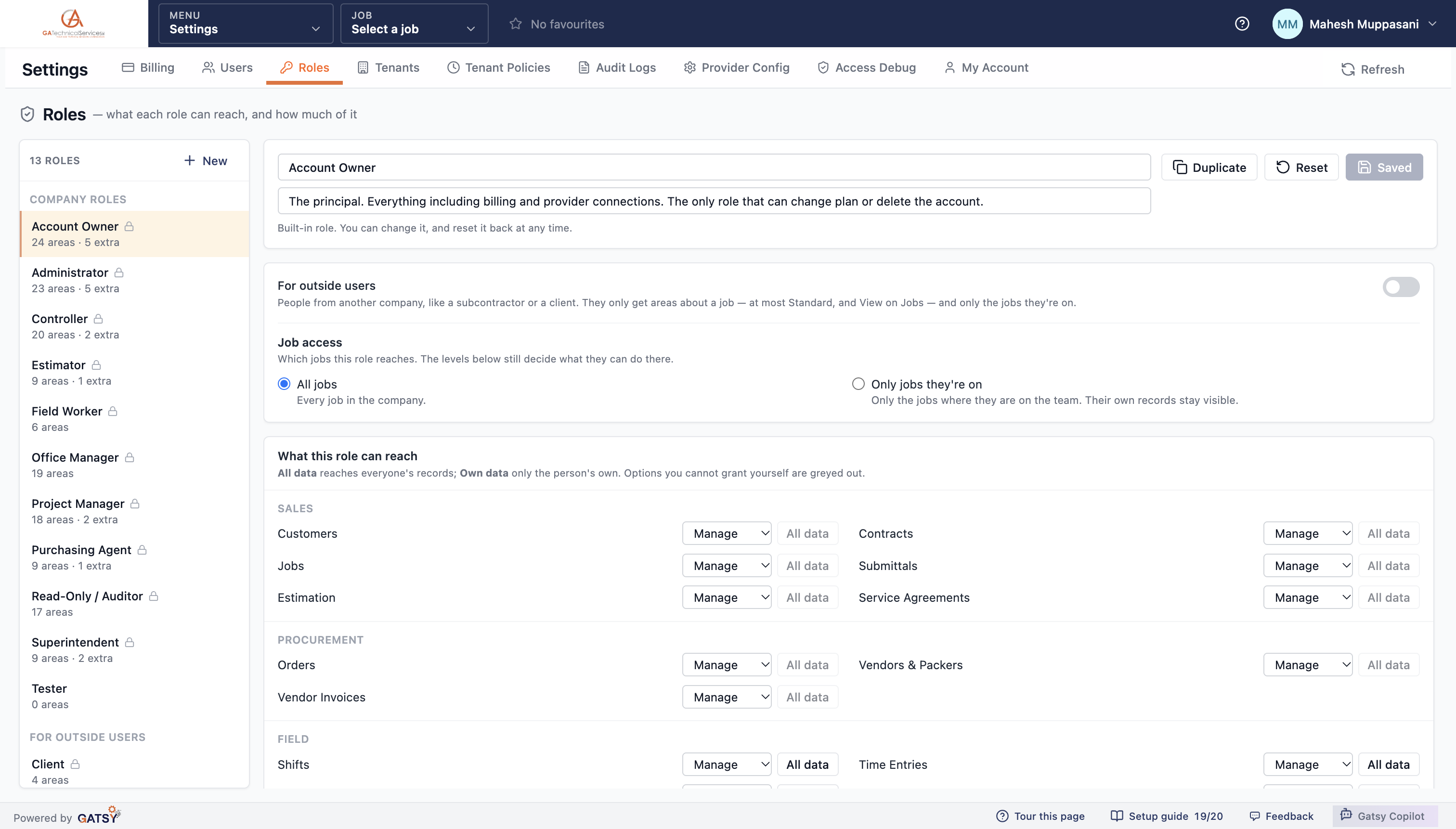
Thirteen roles, with Client and Subcontractor grouped separately under "for outside users"

They can never see what the job is making you

Job cost is not hidden from outside users — it is unavailable to them.

No cost, at all

Seeing job cost is a separate permission, and outside roles cannot be granted it or any other special permission. The system’s own note on why is blunt: a subcontractor or client who saw it would see your margin.

Labor rates and burden stay inside

What you pay people, what you load it at, and what the job is costing are company facts. They do not travel with a job-level login.

The server decides, not the screen

Every read is capped server-side and anything more is refused on save. Hiding a menu item only stops someone finding it; this stops the data leaving.

You cannot grant what you do not hold

In the role editor, options above your own access are greyed out — so nobody builds a role more powerful than themselves.

The Subcontractor role showing job access limited to jobs they are on and the per-area permission matrix

What it is actually for

The everyday reasons a contractor wants somebody outside the company looking at a job.

The GC wants to see progress

Give them the job: the schedule, the task sheets filed from site, the submittals you have sent and the pay applications they have received. Not your other customers, and not your cost.

A sub needs their own shifts and hours

Subcontract crews can see the shifts they are on and file their time and task sheets against the job, without reaching anything else in your business.

Start from a built-in role

Client and Subcontractor both ship ready to use. Duplicate one, adjust it, and reset it back to the original at any time.

The permission matrix for an outside role, area by area

How an outside login works

  1. 1

    Pick the role

    Client or Subcontractor, both built in — or a copy of one you have adjusted.

  2. 2

    Put them on the job

    Add them to the job team. That is what decides which jobs they can reach.

  3. 3

    They see their job

    Schedule, time, task sheets, submittals and the pay applications you sent. Nothing else exists for them.

  4. 4

    Your numbers stay yours

    Cost, margin, rates, customers and vendors are out of reach — enforced on the server, not the screen.

Questions contractors ask

Can an outside user see my other customers or jobs?

No. They reach only the jobs they are on the team for. Anything else reads as not found rather than forbidden, so they learn nothing about what else you have.

Could they ever see what the job costs me?

No. Seeing job cost is a separate permission that outside roles cannot hold at all, and the restriction is applied by the server on every read — not by hiding a page.

Do I pay extra for these logins?

No. Every plan carries unlimited users, so putting a GC or a sub on the job does not cost you a seat.

Can they file time and task sheets?

Yes, where you allow it. Shifts, time entries, task sheets and expenses are all job-shaped areas an outside role can hold — which is how a subcontract crew records their own work.

Can I give them Copilot?

No. Gatsy Copilot cannot be granted to outside users at all.

Ready to run every job in one place?

Start your 30-day free trial today. No credit card, no setup fee, and we’ll get GATSY configured around how your business already works.

GATSY AI estimating workspace showing a priced project takeoff
30-day Free TrialNo Credit Card RequiredCancel Anytime
View Manual