Time Entries

Hours that land on the right job the day they are worked

Paper timesheets reach the office on Friday, get keyed in on Monday, and by then nobody remembers which job the Tuesday afternoon went to. GATSY takes the hours off the clock in the field, against the shift the worker is on, so the cost lands on the right job the same day — with breaks, overtime and location already on it.

  • 30-day Free Trial
  • No Credit Card Required
  • Cancel Anytime
Time entries grouped by day with duration, breaks, overtime, job and location for every worker
Hours onto job cost
Same dayHours onto job cost
Calculated, not remembered
Breaks & OTCalculated, not remembered
Where the clock-in happened
LocatedWhere the clock-in happened
Out to payroll
ExportOut to payroll

What Time Entries does

Clocked in the field, costed in the office

Every entry carries its worker, its duration, its break, its overtime, its job and where it happened.

Against the shift, not into a box

A worker clocks in against the shift they are on, so the hours already know the job. Nobody picks a job code from a list and nobody guesses on Monday.

Breaks and overtime are calculated

Each entry shows its break and any overtime as separate badges — 30 minutes break, 1h 26m overtime — rather than a single number somebody has to unpick later.

Pause and resume, not clock out and back in

A real break is a pause on the entry. The timeline stays one shift instead of fragmenting into pieces that have to be reassembled.

It knows the time zone

A crew in Florida and a crew in California on the same day are recorded in their own local times, which matters the moment you are billing or auditing across states.
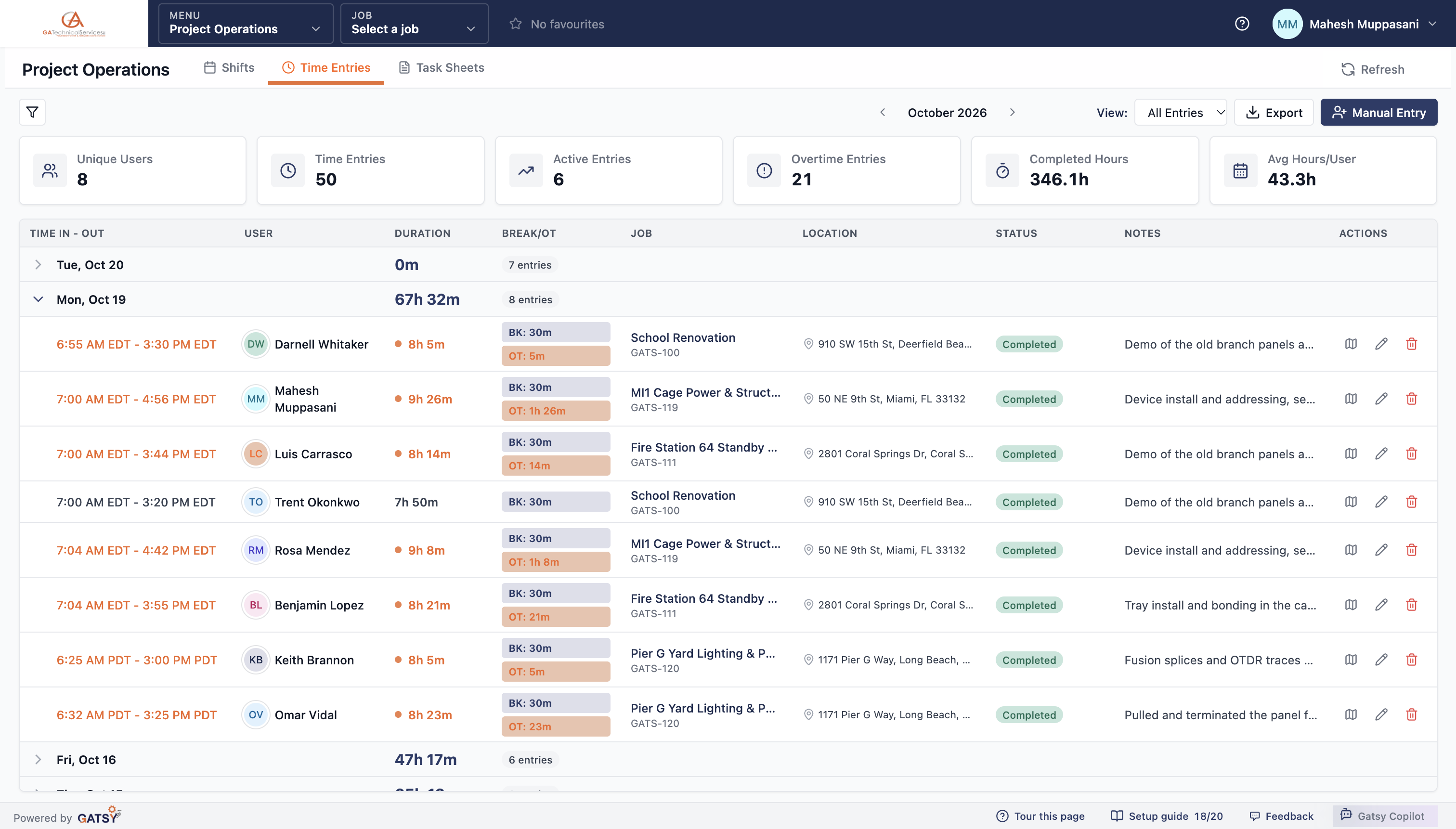
A day of time entries expanded, showing break and overtime badges, jobs and site addresses

Where the clock-in actually happened

Location is captured with the entry, so a question about a day has an answer.

The site address on the entry

Each entry records where it was clocked, shown against the job it belongs to — and a map view when you need to look closer.

Geofence when the job needs it

Tie clock-in to the job site where that is the arrangement, and leave it off where it is not. It is a policy you choose, not a default we impose.

Exportable, including the track

Location points on an entry can be exported, and the hours themselves export for payroll.

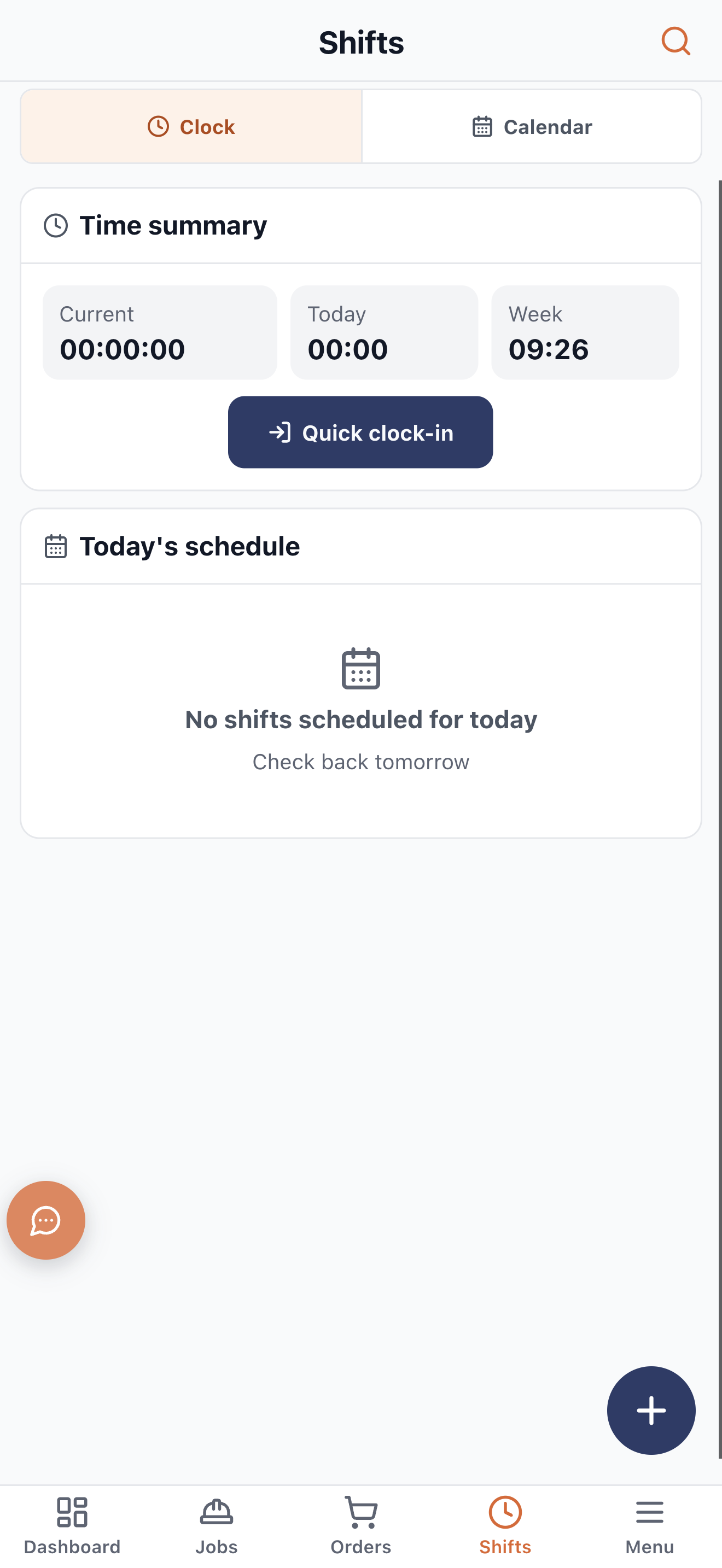
The phone app clock screen with current, today and week totals and a quick clock-in

The office keeps control of the record

Manual entries, admin edits and a standalone clock-in for the work that was never scheduled.

Someone forgot to clock in

Add the entry by hand. It is recorded as a manual entry rather than passed off as a clock-in, so the record stays honest.

Standalone clock-in

A worker can clock in without a shift when something comes up, and the time still lands against a job.

Admin edits, deliberately separate

Editing somebody else’s time is its own capability, not something every supervisor holds by default.

One active entry at a time

A worker cannot be clocked into two jobs at once, which is the simplest way to stop a day being counted twice.

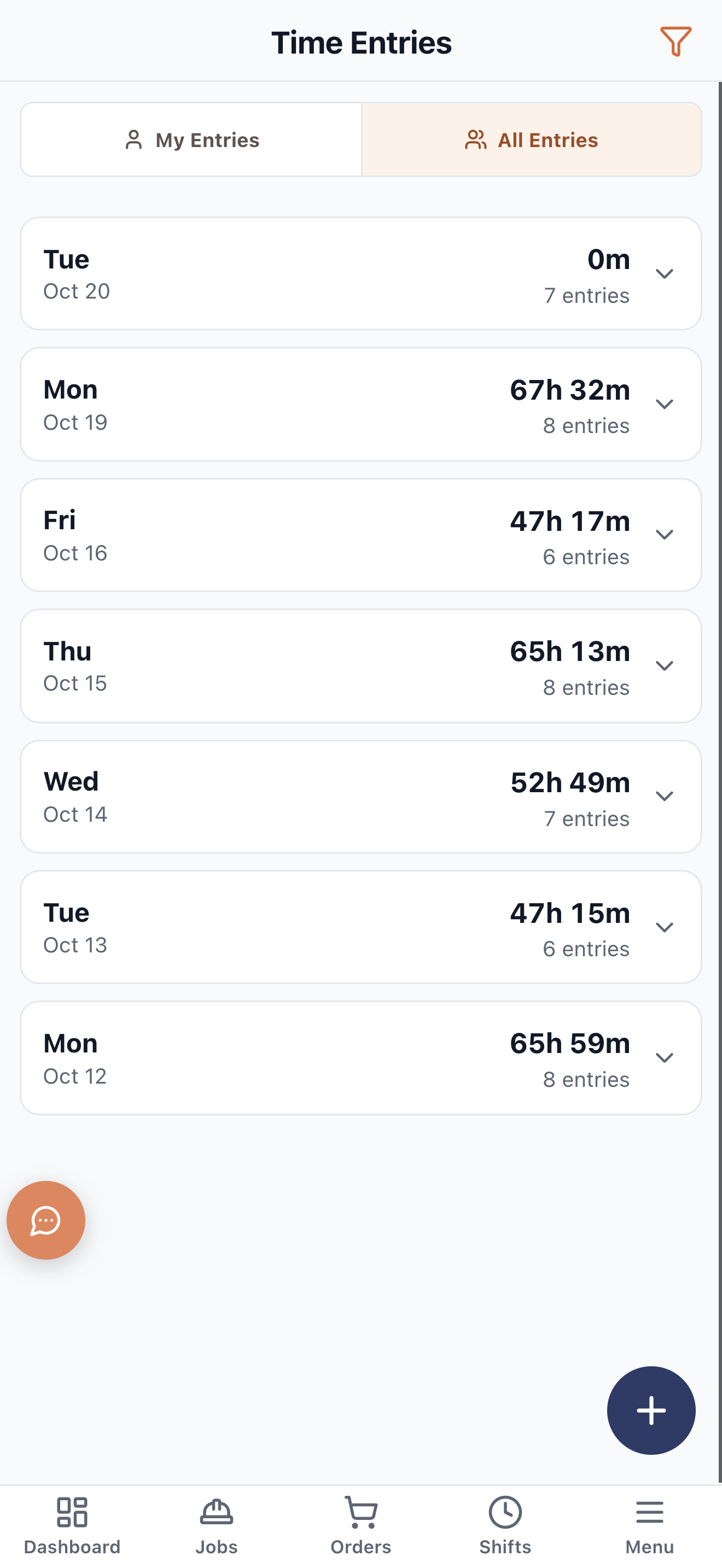
The phone app showing a worker their own time entries

How an hour becomes job cost

  1. 1

    Clock in on the phone

    Against the shift the worker is on, from the site, with location captured.

  2. 2

    Breaks and overtime apply

    Inside whatever rules the company has turned on — FLSA, California, or your own.

  3. 3

    The entry closes

    Duration, break and overtime recorded against the job, with a note on what was done.

  4. 4

    Cost lands on the job

    Priced at that worker’s rate for that job, so the Job Hub moves the same day.

Questions contractors ask

Do crews need a signal on site?

The phone app is built for the field, and entries record the time and place they were made. Where a job site has no coverage, the office can add a manual entry, recorded as one.

Can a worker clock into two jobs at once?

No. Only one time entry can be active at a time, which is the simplest protection against a day being billed twice.

Does it track my crew’s location all day?

Location is captured with the clock-in and, where a job calls for it, as points on the entry. It is tied to work, it is visible to the worker, and geofencing is something you switch on per policy rather than a default.

How does payroll get the hours?

Time entries export, and QuickBooks project insights carry a per-employee time summary with hours, rate and total cost.

Ready to run every job in one place?

Start your 30-day free trial today. No credit card, no setup fee, and we’ll get GATSY configured around how your business already works.

GATSY AI estimating workspace showing a priced project takeoff
30-day Free TrialNo Credit Card RequiredCancel Anytime
View Manual